
vSure offers the ability to bulk upload Employee/Contractor details and trigger self-onboarding via SMS and/or Email.
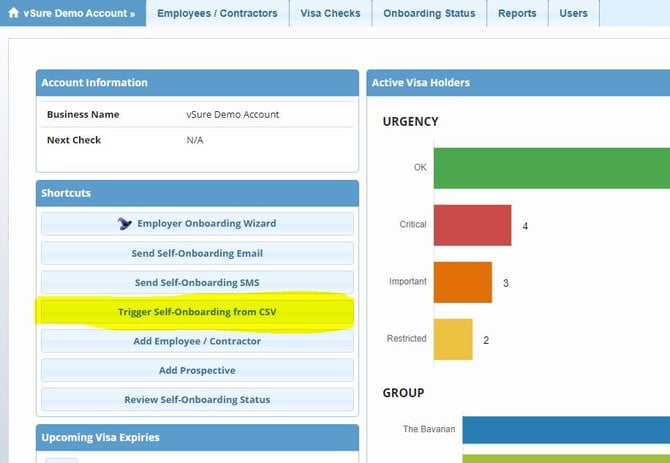
1. Select "Trigger Self-onboarding from CSV" from the Home Dashboard
2. Download the MS Excel Template
Click the "Import Sheet" link at Step 1 on the pop-up screen to download the template:
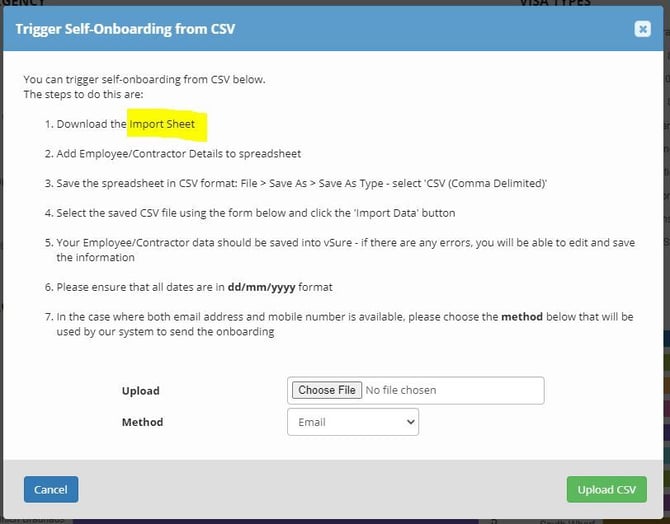
3. Add the details to MS Excel

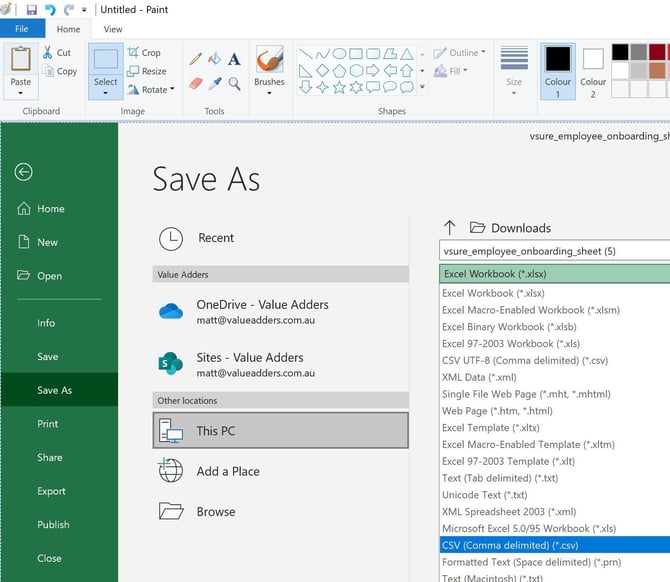
4. Save the spreadsheet as CSV
File | Save As | CSV (Comma delimted) (*.csv)
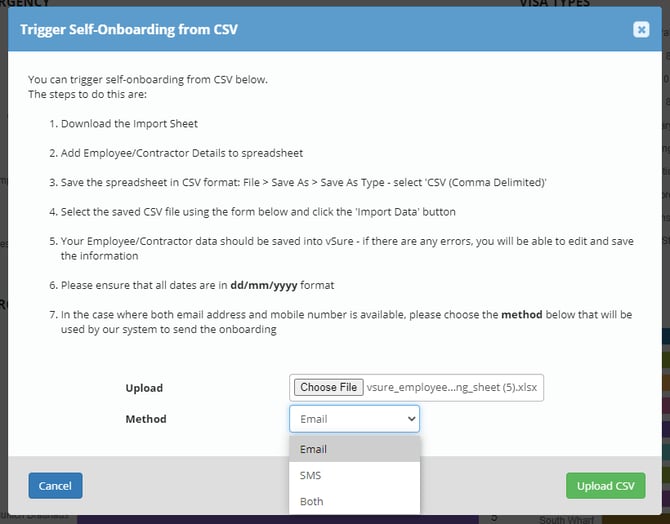
5. Select CSV, choose send method and upload
Choose the CSV; and
Select the method: Email, SMS or Both (note this only applies where you have BOTH an email and Mobile number for the employee/contractor. If you only have either, the system will automatically send to the one (Email or Mobile) you have)
Upload CSV
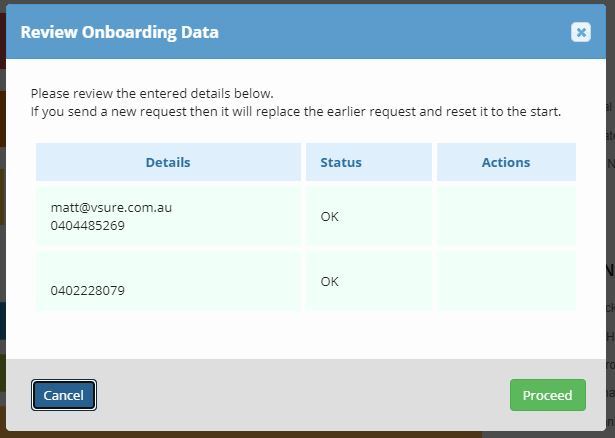
6. System checks for duplicates - action (if necessary) before Proceeding
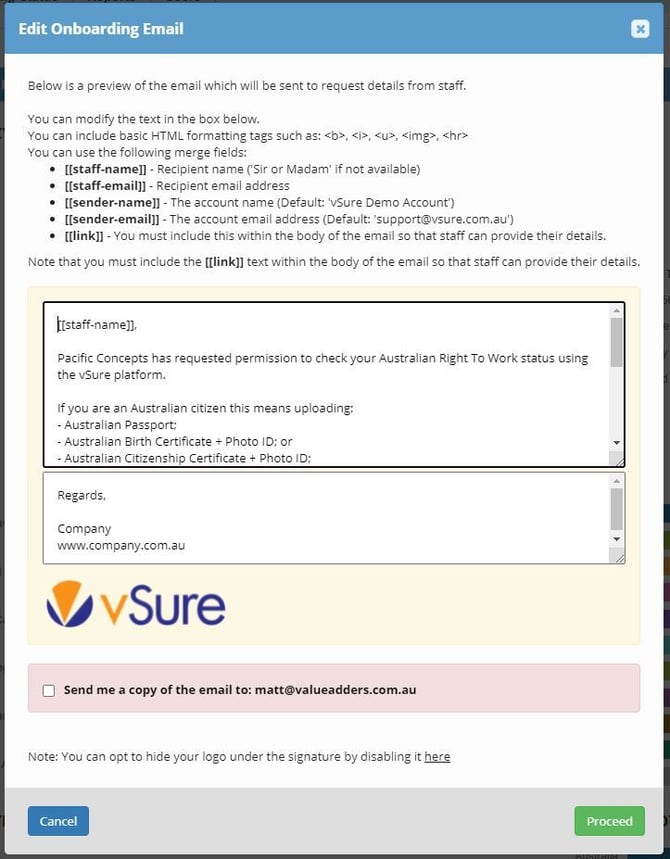
7. Edit Email before sending (if necessary)
8. Edit SMS (if necessary) before sending

And that's it - the system will bulk send the Emails and/or SMS's to collect the documents directly from the employees/contractors.
Use the Onboarding Status tab to track and Send reminders.