
The integration between Tanda and vSure operates on a 1:1 basis. This means that as long as there is an active employee record in Tanda, a corresponding record will continue to be created and required in vSure.
You may find you have discarded a onboarding record from vSure but it is continuing to be created and a request is sent to the employee. This is the integration.
You have two options:
1. If the person is not actually an employee, update their permission level in Tanda.
When a Tanda record is set with permission level = 'Employee', a matching record will be created in vSure.
If 'Employee' is not selected as the permission level, vSure will not create a record.
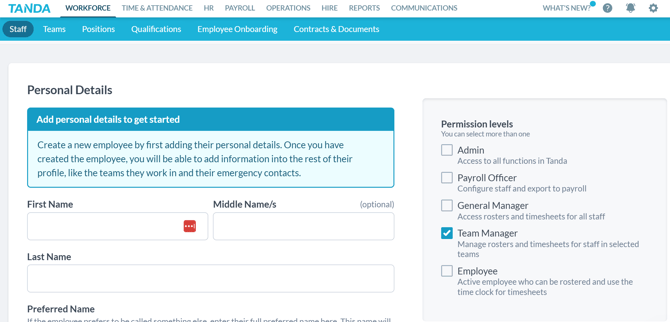
2. If the person is an employee but is not required to complete the onboarding:
-
You can leave their record in **Awaiting staff details**, or
-
You can complete the profile on the employee’s behalf so they are not required to take any action.
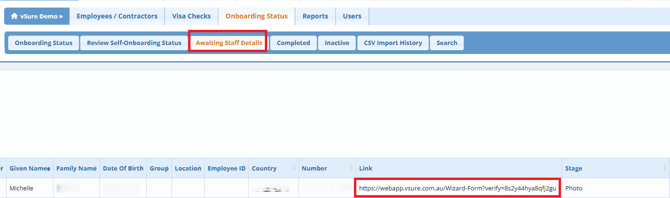
Using the link provided at the end of their onboarding, you can complete the workflow on the employee’s behalf, uploading a document (for example, a PDF or image) stating “not required”, then submitting the onboarding form.
You can then review and approve the record as you would for any other onboarding employee.
This same link can also be used to complete the record on behalf of an employee who has supplied their details to you through another channel.