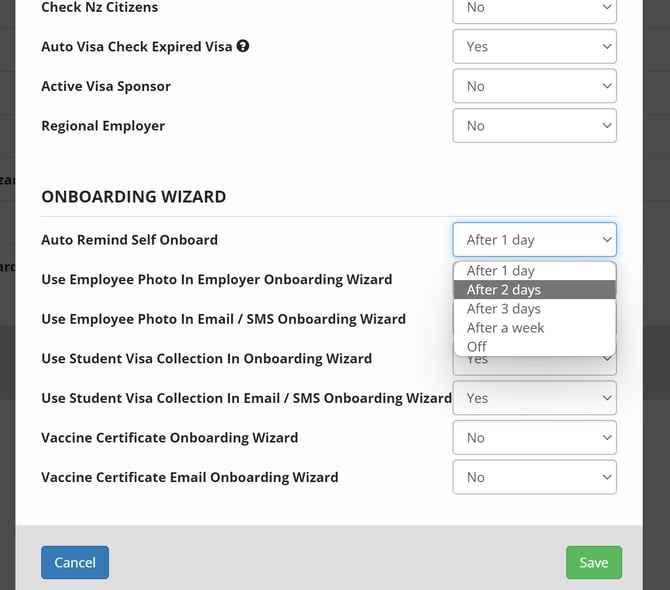
You can set-up auto-reminders for Self-Onboarding for:
- After 1 day
- After 2 days
- After 3 days; OR
- After a week;
Set-up Email and SMS Reminder Templates
When you now go to:
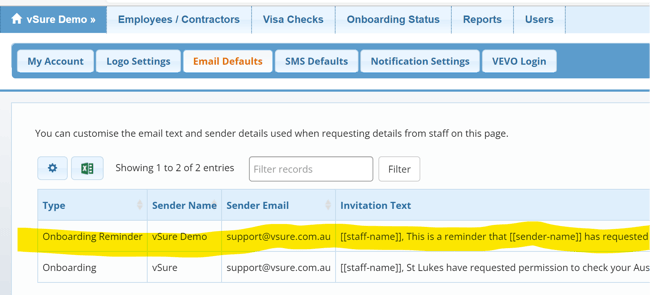
1. My Account / Email Defaults and SMS Defaults
You will see a second template you can now configure, called "Onboarding Reminder". This becomes the default text used for any reminders you send.
Simply click on the row to open and edit the text.
For example, you could start the template with the text:
"***URGENT REMINDER, please complete immediately else we won't be able to roster you/continue with your onboarding***".
2. Switch On Reminders: My Account | Onboarding Wizard section
Simply select the timing for the automated reminder and save: