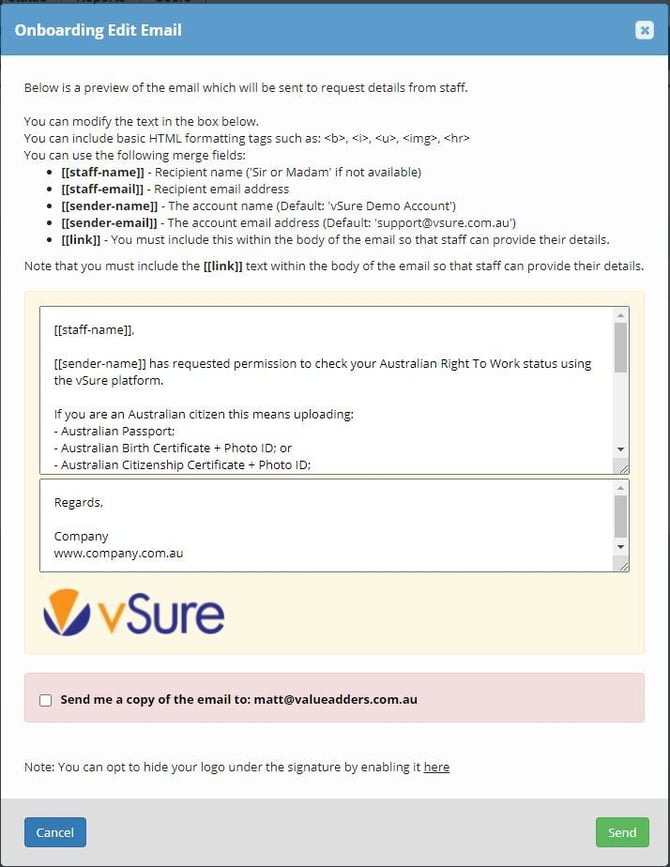
In vSure you can push out an SMS and/or Email to your existing staff to upload any new documents you need from them. Examples include:
- Employee's visa check turns Critical Red because they have a new passport. Now you can simply send a request to the employee to upload their new passport.
- Employee is a Student Visa Holder and you want a copy of there Confirmation of Enrolment (COE) to confirm Course Studied and Course Start Date.
- Employee becomes a citizen. You can request their citizenship certificate via SMS and/or email.
- Employee's existing visa has yet to expire and new visa commences at a future date, you can send a request for a copy of the new Visa Grant letter.
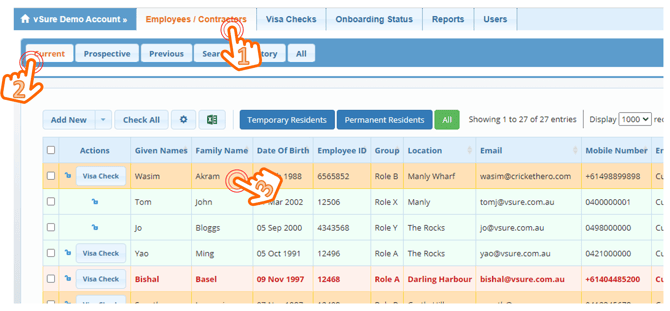
To request a document from an employee, start from the Employees/Contractors - Current Tab:
1. Employees/Contractors | Current | Click on the staff member's name
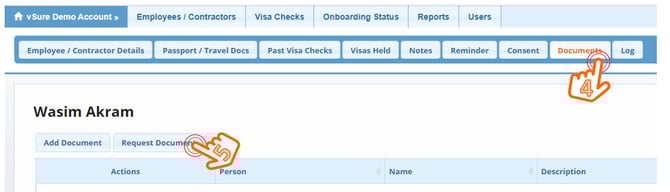
2. Navigate to the Documents Tab and Click "Request Document"
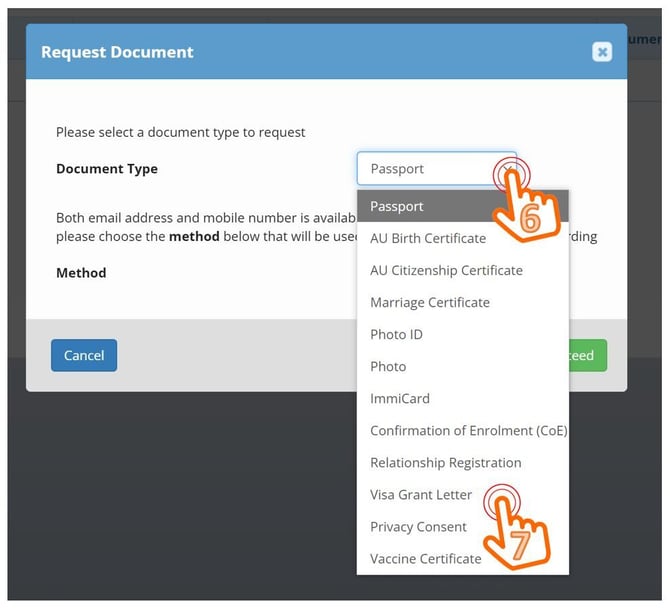
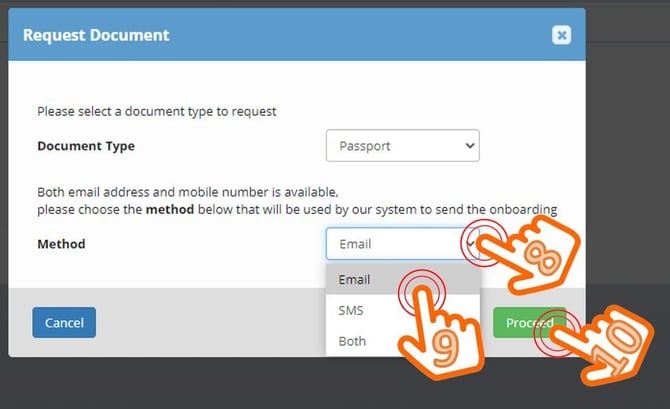
3. Select Document you wish to collect
4. Then choose Request Method (Email or SMS or Both) & Proceed
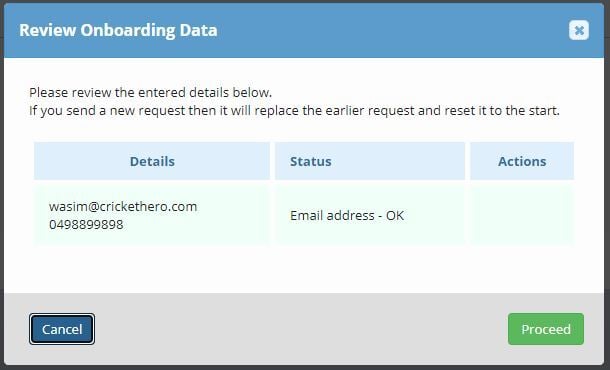
5. The System will check for existing requests - Proceed
This allows you to discard previous requests OR stop if you don't need to send a new request
6. Then edit the text of the SMS and/or Email and Send