
RealMe is the New Zealand's government's user management system for online givernment services. You need a RealMe account to access both VisaView and Visa Verification in NZ.
There are 2 different Visa check services offered by NZ Immigration:
- Employer VisaView: specifically verifies NZ work rights with specific reference to work rights details, based on data from the visa holder's passport;
- Visa Verification: verifies a visa (and thus foreign passport) is valid based on data from both the visa holder's passport and visa approval letter;
Each RealMe account can have access to Employer Visa View and/or the Visa Verification Service. You cannot perform an Employer Visa View if the RealMe account only has access to
ALL vSure NZ WebApp customers MUST have a VisaView account. You do not need to register for a Visa Verification account.
To register for Employer VisaView: https://www.immigration.govt.nz/about-us/our-online-systems/visaview
Scroll down to "Register and log in to VisaView with RealMe".
Invite vSure as a user within your VisaView account
Your vSure consultant will supply you with an email address and details for adding a vSure user to your VisaView account.
This allows a clear audit trail for you and NZ Immigration, for the visa checks performed through the vSure application (as opposed to manually through the NZ Immigration website).
Login to your VisaView account as the Admin.
Click on Invite User on the left side menu.
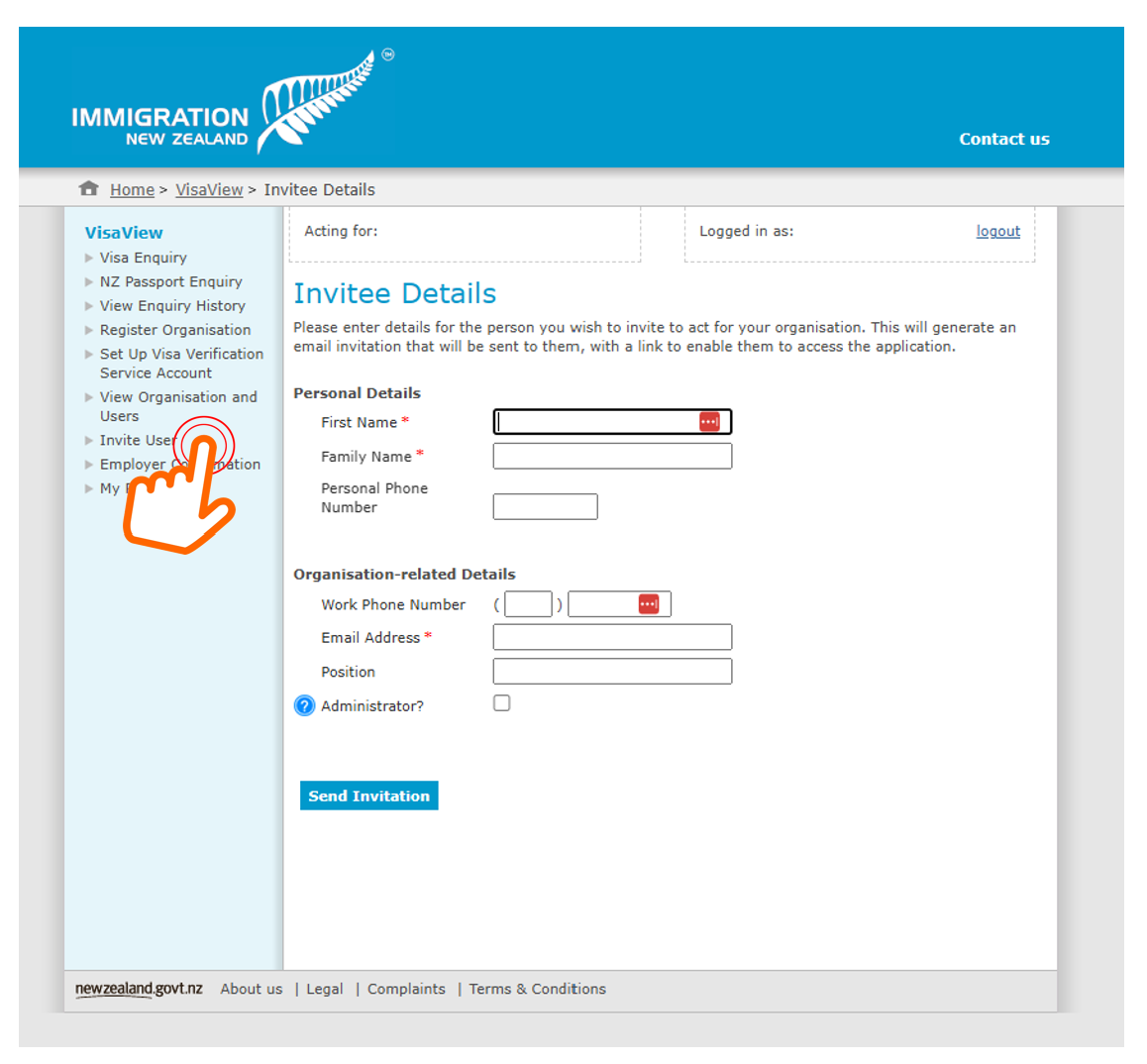
Fill in the details provided by your vSure Consultant.
They do not need to be Administrator, so please do not tick that option.
Then Send Invite.
vSure can then configure your NZ WebApp for both VisaView and Visa Verification checks.