
The 8105 visa condition for primary student visa holders, restricts their hours of work to 48 hours per fortnight whilst their courses are in session. Put another way, they can work more than 48 hours "during semester breaks". Check out our Student Visa article here for more details.
From a compliance perspective, this means if employers want to allow primary student visa holders to work more than 48 hours per fortnight outside course dates, then they need to collect evidence of when courses are and aren't in session from each primary student visa holder (with the exception being those doing Masters or PhD by Research for whom are exempt from the 8105 condition).
Each year/semester/term you might decide to bulk collect Course Date Evidence from all your restricted 8105 condition holders.
The Student Course Date Report can assist with identifying who is missing or has expired course dates. It can also be used to bulk request Course Dates evidence.
From the Employees / Contractors | Current Tab, you can select the filter "Restricted 8105":
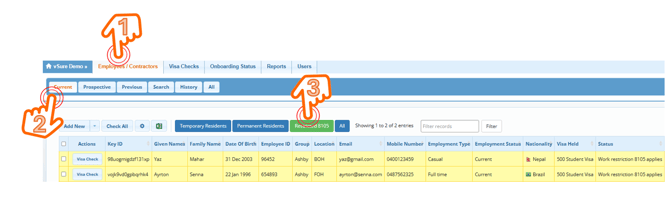
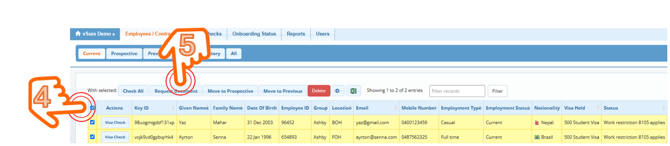
You can "Select All" by ticking the box at the top next to actions. You can choose to deselect/select whomever you like - then the "Request Document" button will appear at the top - click to start the bulk send process:
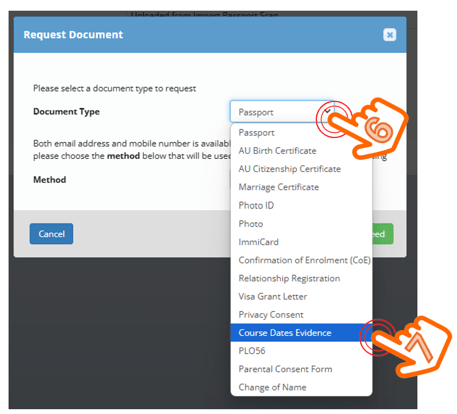
From the document type dropdown, select "Course Date Evidence":
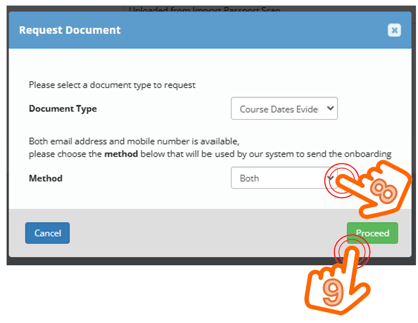
Decide what method you want to use to send (Email or SMS or Both) and click proceed:
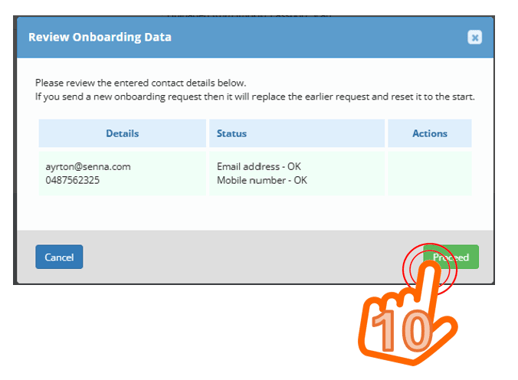
The systrem will validate the emails and mobile numbers and check if you have already requested this from any of the employees/contractors already (and allows you to decide whether to resend or not) - click proceed:
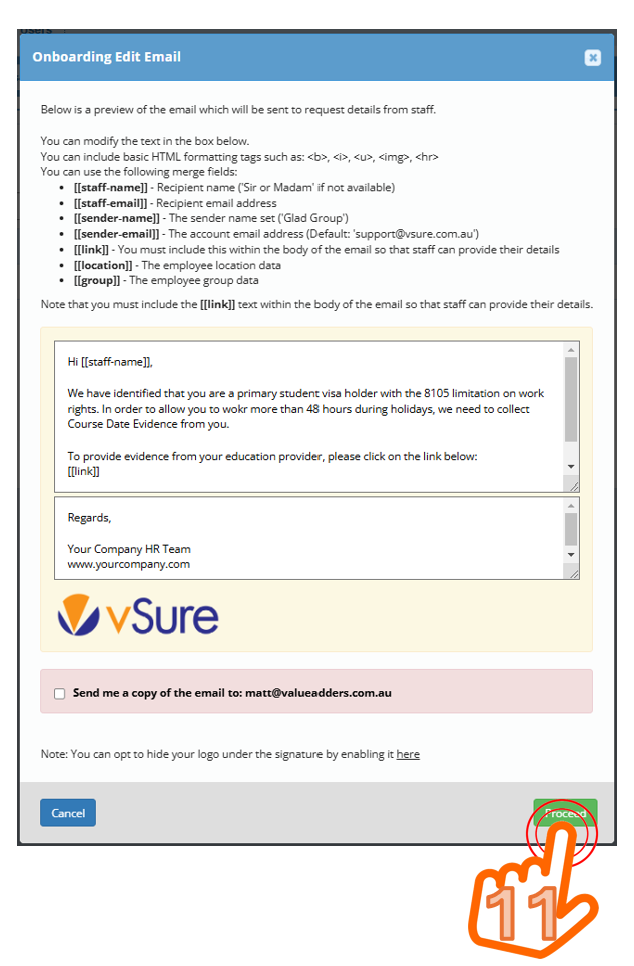
Write an email/sms that explains what you need and why and then click proceed:
NOTE: the email/SMS MUST contain the merge field [[link]]
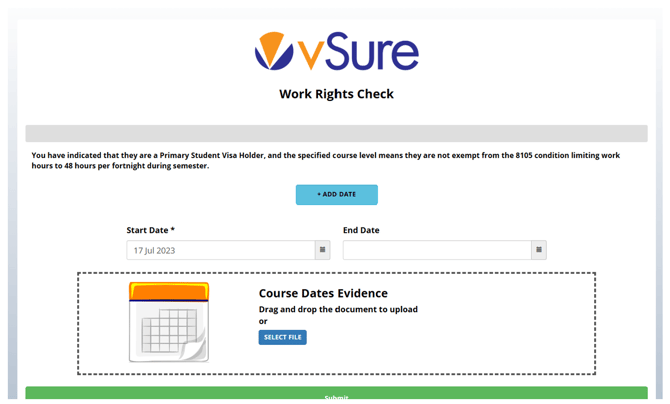
The employees/contractors then receive the emails/SMS with a unique link. When they click on the link, they will see the Course Dates Evidence screen appear, allowing the student to specify their term start and end dates - noting they can add as many term dates as their evidence confirms (e.g. if they have 4 terms in the one document, then they could add 4 start and end dates):
When the employee/contractor completes the upload, the employer can then perform a "Review" in the Onboarding Status | Review Selef Onboarding Status tab.