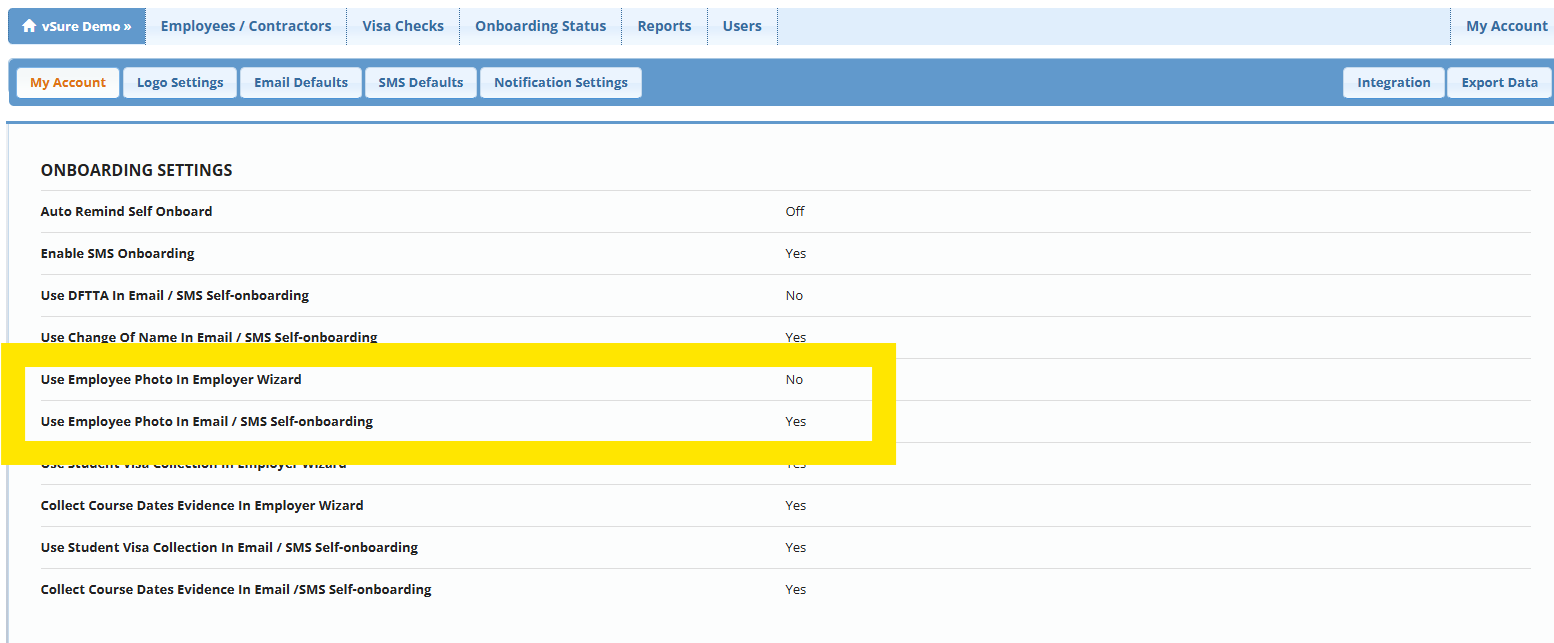
In the Employer Onboarding Wizard and both the Send Self-Onboarding Emails and SMS workflows you can choose whether to request a photo or selfie of the candidate/staff member. This was designed to comply with the obligation to ensure the ID supplied is in fact the worker who is accepting the role.
A small number of clients have requested the ability to skip this step. We have added two options to the My Accounts screen:
- Use Employee Photo In Employer Wizard
- Use Employee Photo In Email / SMS Self-onboarding
These are defaulted to Yes for all vSure customers but can be switched to No.
My Account | My Account Tab | Edit
Change the setting from Yes --> No and Save