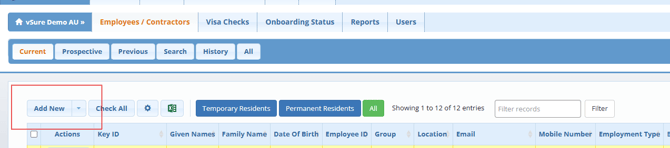
1. Select "Employees / Contractors" tab & "Add New" button
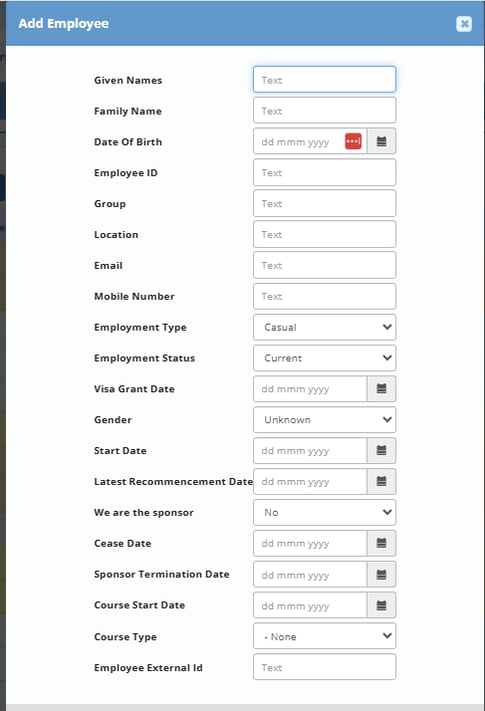
2. Enter employee/contractor details & Save
Making sure to enter email address
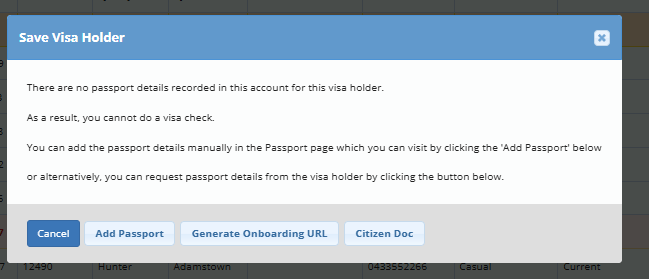
3. Add Passport / ID Document Details
To add Passport, Immicard, PLO56 etc documents select "Add Passport".
For an Australia Citizen, select "Citizen Doc".
To push an email to the employee to add their own documents, select Generate Onboarding URL.